Fingerprint 注入
简介
tab.apply_fingerprint() 给浏览器一个新身份。它在第一次导航之前,覆盖 fingerprinting 脚本读取的信号,User-Agent 和 Client Hints、navigator、WebGL 和 WebGPU、屏幕参数、字体、音频、权限、时区和 locale。你传入一个 profile;Pydoll 在浏览器自带 override 命令的地方就走那条路,只有在没有命令的地方才用加固过的 JavaScript。
先说清楚一个界限:这是身份替换,不是匿名。它不改变你的出口 IP,也不改变网络层 fingerprint,而且一个不一致的 profile 比未经修改的浏览器更容易被检测。profile 必须匹配它所运行的机器和 IP。
这些都不是保证
每个站点读取它自己的那一部分信号,并按自己的方式权衡。一个最小 profile(User-Agent、locale、时区与 host 和 IP 匹配)单靠自己就能通过许多目标,而一处微小的残留不一致可能根本不会被读到。从简单开始,对着真实站点测试,只在测量表明某个具体信号就是拦住你的原因时才添加字段。
你将学到
快速开始
在第一次导航之前调用 apply_fingerprint()。只有 profile 中存在的字段会被覆盖;其余保持浏览器的真实值。
import time
from pydoll.sync import Chrome

from examples.fingerprints import FINGERPRINTS

def spoof_fingerprint():
    with Chrome() as browser:
        tab = browser.start()

        # 在第一次导航之前应用。
        tab.apply_fingerprint(FINGERPRINTS['macos_m3_new_york'])

        tab.go_to('https://abrahamjuliot.github.io/creepjs/')
        time.sleep(5)

spoof_fingerprint()
import asyncio

from pydoll import Chrome

from examples.fingerprints import FINGERPRINTS

async def spoof_fingerprint():
    async with Chrome() as browser:
        tab = await browser.start()

        # 在第一次导航之前应用。
        await tab.apply_fingerprint(FINGERPRINTS['macos_m3_new_york'])

        await tab.go_to('https://abrahamjuliot.github.io/creepjs/')
        await asyncio.sleep(5)

asyncio.run(spoof_fingerprint())
FINGERPRINTS 从哪来
Pydoll 不附带 fingerprint profile。FINGERPRINTS 位于 pydoll 仓库 的 examples/fingerprints.py,是 FingerprintConfig 结构(来自 pydoll.protocol.fingerprint.types 的一个 typed dict)的参考 profile。把这个文件复制到你的项目里,再把每个 profile 适配到你自己的机器和 IP。原样复用一个 profile 是一个共享签名,而不是伪装。
一个 profile 能设置什么
FingerprintConfig 是一个 typed dict;每个部分都是可选的,每一部分覆盖 fingerprinting 脚本会读取的一个面。
| 部分 | 设置 |
|---|---|
user_agent |
User-Agent 字符串、navigator.platform / vendor / appVersion,以及 Sec-CH-UA* Client Hints(brand 及其顺序遵循 Chromium 自己针对该主版本的算法) |
client_hints |
User-Agent 字符串承载不了的高熵 hints:platform_version、model、architecture、bitness、form_factors |
locale |
navigator.language(s)、Accept-Language 首部和 Intl 的 locale |
timezone、geolocation |
Intl 时区、Date,以及 Geolocation API |
screen |
screen.*、devicePixelRatio、窗口和视口尺寸 |
hardware |
hardwareConcurrency、deviceMemory、maxTouchPoints(触摸 profile 会启用触摸事件) |
permissions |
navigator.permissions.query() 的状态,与 Notification.permission 保持一致 |
media_features |
color-gamut、prefers-color-scheme 以及 Chrome 能模拟的其他 CSS 媒体特性 |
webgl |
vendor 和 renderer 字符串、WebGL 和 WebGL2 的 limits、扩展、shader 精度 |
webgpu |
真实 adapter 的 adapter.info、limits 和 features |
media_devices、speech、audio、network_connection、fonts、webrtc_ip_policy |
媒体设备数量、语音合成的 voices、音频设备能力、navigator.connection、本地字体、WebRTC 的 ICE 策略 |
完整的字段列表,连同接受的值和每个部分的示例,在 pydoll/protocol/fingerprint/types.py 的 docstring 里。
让一个 profile 通过
一个 profile 能通过,是因为它和运行它的机器与 IP 相符。这些规则本质上都是同一条规则:每一层都要一致。
让 profile 的 OS 匹配你的 host OS
内核和 OS 的文本渲染,会在任何 override 都触及不到的层里暴露真实的 OS。在 macOS 上跑 macOS profile,在 Windows 上跑 Windows profile。转发代理会从代理的内核重新发起连接,所以 Windows profile 这时就需要一个跑在 Windows 上的代理。
让 Chrome 版本匹配你的二进制
User-Agent 和 Client Hints 是版本号唯一被写下的地方,也正是 apply_fingerprint() 改动的部分;二进制的 JavaScript 引擎和 web 平台保留着真实的功能集合,探测 API 的检测器会从中得知真实的主版本号(它是怎么泄露的)。读出二进制的版本,把 profile 的主版本号与之保持一致,并在每次 Chrome 升级时更新。
让 locale 和时区匹配你的出口 IP
Accept-Language、navigator.languages、时区和地理位置会和 IP 所在国家做交叉核对。一个 US profile 在巴西 IP 后面,会让一次普通的 Google 搜索返回 captcha;改成巴西的 locale、和 IP 相符,就在不做任何其他改动的情况下解除了拦截。
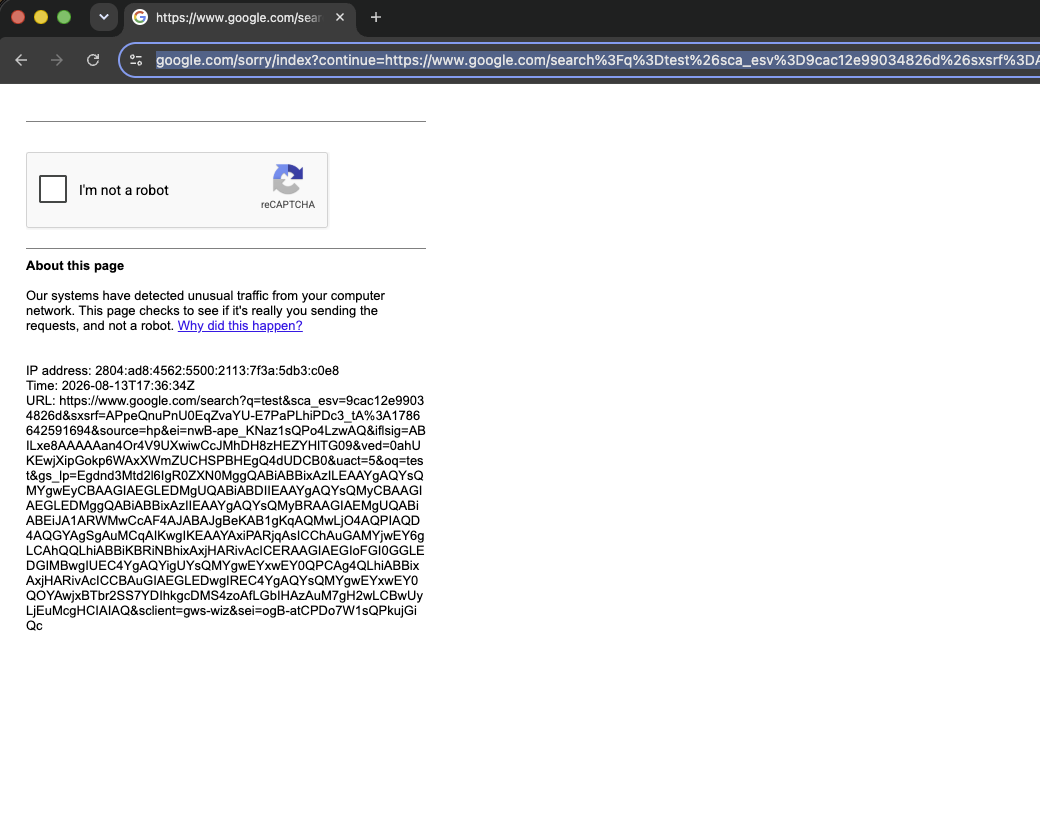
US locale 配巴西 IP:Google 返回一个 captcha。
让 GPU 和字体匹配 host
webgl 和 webgpu 部分改变的是浏览器报告的 GPU 信息;GPU 画出来的东西保持真实。声称机器里实际存在的那个 GPU 系列,并从同一类别的真实设备上捕获 limits 和 features,而不是靠猜。fonts 部分覆盖的是 JavaScript 的字体探测;布局引擎测量的是真正安装的字体,所以要恰好列出已安装的字体。
WebGL 扩展列表也要取自同一次捕获。getSupportedExtensions() 按 Chrome 自身的顺序报告配置文件里的列表:主机 GPU 拥有的扩展直接放行,主机缺少的扩展则依据 Chromium 的接口定义构造出来,带有它的常量、方法、压缩纹理格式以及它解锁的上限。软件光栅化器暴露的列表比任何独立 GPU 都短,正是这一点让这个差异不会透过配置文件泄露。pydoll 不认识的名字只在主机确实暴露它时才保留。
钉住 User-Agent 承载不了的 Client Hints
User-Agent 字符串是冻结的(Mac OS X 10_15_7、Android 10; K);真实 Chrome 在 Client Hints 里报告真实的 OS 版本、设备型号和形态。解析器会填入合理的默认值;设置 client_hints,把它钉在一台真实设备上读到的值。
fingerprint = FingerprintConfig(
    user_agent=UA_WINDOWS,
    client_hints=ClientHintsFingerprint(platform_version='15.0.0'),
)
每个 browser context 一个 fingerprint
一个 browser context 持有一个身份。给同一个 context 再应用第二个不同的 fingerprint,会抛出 FingerprintContextConflict。把不同身份放到各自独立的 context 里跑。
还有几条小规则:在第一次导航之前应用 fingerprint;如果你设置了 --user-agent 选项,让它与 profile 的保持一致(不同的值会记录一条 warning 日志);用一个干净的住宅 IP;优先使用 click(humanize=True) 和类人交互,因为输入是许多目标最看重的东西。
使用你自己的 profile
Pydoll 不生成也不附带 fingerprint。examples/fingerprints.py 里的 profile 是一份参考,说明一个 profile 需要怎样的一致性以及 FingerprintConfig 的结构,而不是一份可以原样部署的目录。一个 profile 必须匹配在用的 Chrome 二进制和出口 IP 的地理位置(locale、时区、地理定位)。一个被广泛复用的公开 profile,会变成共享签名,而不是伪装。
下一步
- 审计一个 fingerprint:读回一个信号,确认一个 profile 生效了。
- Evasion techniques:User-Agent 一致性、WebRTC 泄漏防护,以及 Pydoll 免费给你的东西。
- 类人交互:行为层。